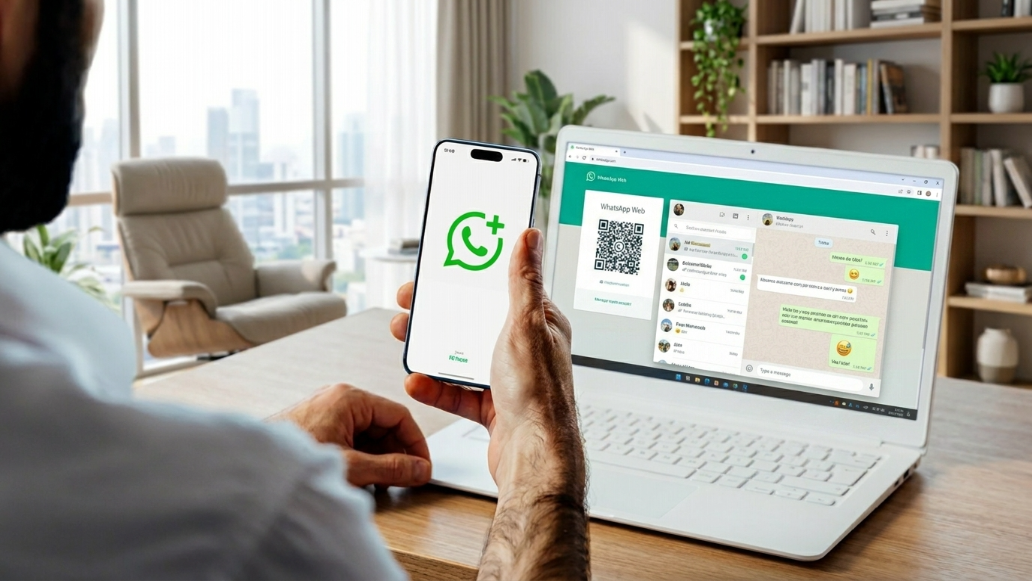
WhatsApp is how Pakistan communicates. Family groups, office announcements, local business negotiations, classroom coordination — it runs on almost every device in the country. But for users relying on WhatsApp Web to manage conversations from a laptop or desktop, one limitation has been a persistent frustration: group calls were simply not available from the browser.
That is no longer the case.
WhatsApp is rolling out group voice and video calling on WhatsApp Web, letting users start and join group calls directly from their browser — no phone required, no desktop app needed.
What the Update Actually Changes
WhatsApp introduced individual voice and video calling on WhatsApp Web earlier in 2026. That update allowed one-on-one calls from the browser, but group calling remained off the table for web users. The platform is now extending that capability to group chats.
The update is currently available to WhatsApp Web beta users and is expected to roll out more broadly over the coming weeks. Once active on your account, you will see a call icon appear at the top of any group chat — the same place it already appears in individual chats.
How to Start a Group Call on WhatsApp Web
The process is simple. Here is exactly what to do once the feature reaches your account:
- Open WhatsApp Web in any supported browser and log in
- Navigate to the group chat you want to call
- Look for the call button at the top right corner of the chat window
- If the icon is visible, the feature is enabled for your account
- Click the icon and select either voice call or video call
- Choose specific participants from the group rather than calling everyone at once
If the call button is not showing in your group chats yet, the feature has not reached your account. Keeping WhatsApp Web updated and checking again over the next few weeks should resolve this.
How Many People Can Join
WhatsApp Web group calls support up to 32 participants — matching the existing limit on the mobile app and desktop application. This capacity comfortably covers most use cases, from immediate family calls to larger work team check-ins.
End-to-End Encryption on Every Call
All WhatsApp group calls — including those made through the web — are protected by end-to-end encryption using the Signal protocol. Only the people on the call can hear what is being said. WhatsApp and Meta cannot access any part of the conversation.
This is an important point for Pakistani users who frequently use WhatsApp for buying, selling, and business coordination. Digital communication safety matters, and encryption on group calls adds a meaningful layer of protection. We have previously covered how SMS scams in Pakistan exploit weak communication channels — using end-to-end encrypted platforms for sensitive conversations is always a smarter choice.
Call Links and Waiting Rooms
WhatsApp Web also supports call links for group calls. You can generate a unique link and share it with participants so they can join directly. Each link remains active for 30 days before expiring.
For added control, WhatsApp lets you enable a waiting room — useful when hosting a client meeting or business call and wanting to manage who joins. That said, anyone with the link can attempt to join, so only share it with trusted contacts.
Screen Sharing From Your Browser
Group video calls on WhatsApp Web now support screen sharing. During a video call, any participant can share what is on their browser screen — helpful for walking someone through a document, presenting slides, or showing a product listing to a buyer before finalizing a deal.
Screen sharing is only available during video calls, not voice calls. Before sharing your screen, always double-check what is visible — everything on your shared display will be seen by all participants in the call.
Why This Matters for Pakistani Buyers and Sellers
For anyone using WhatsApp to negotiate deals, coordinate purchases, or manage a small business, this update has real practical value. Many sellers on local marketplaces in Pakistan connect with buyers through WhatsApp — sharing photos, discussing prices, and arranging meetups. Being able to pull a trusted family member or business partner into a quick group call from your laptop, without switching to your phone, makes those conversations smoother and faster.
If your regular selling or communication channels ever go down, it is good to know your options. Our post on where Pakistani sellers go when Facebook is unavailable explores exactly this scenario.
We have also covered how AI is reshaping the way Pakistanis shop online — and reliable communication tools like WhatsApp Web are a key part of that evolving landscape.
A Long-Overdue Win for Linux Users in Pakistan
This update carries special significance for Linux users. WhatsApp offers no native desktop application for Linux, which has historically meant that Linux users had to switch to their phone whenever a group call was needed. WhatsApp Web now closes that gap entirely. Linux users can participate in group voice and video calls directly from their browser with zero workarounds.
Safety Practices for WhatsApp Web Calls
A few sensible habits to keep in mind:
- Only share call links with people you know and trust
- Use the waiting room feature for professional calls with clients or buyers
- Verify what is on screen before enabling screen sharing
- Use a stable internet connection for uninterrupted audio and video
- Always log out of WhatsApp Web on shared or public computers
Practicing basic online safety on classified platforms in Pakistan applies to all your digital communication — not just marketplace interactions.
Frequently Asked Questions
Can I make group calls on WhatsApp Web right now in Pakistan?
The feature is currently rolling out to WhatsApp Web beta users. If the call button is not visible in your group chats, it has not reached your account yet. Check again after updating WhatsApp Web over the coming weeks.
How many participants can join a WhatsApp Web group call?
Up to 32 participants can join a WhatsApp Web group call — the same limit as on the mobile app and desktop application.
Are WhatsApp Web group calls safe and private?
Yes. All WhatsApp calls, including group calls on the web, are end-to-end encrypted using the Signal protocol. Only call participants can hear the conversation.
Can I share my screen during a WhatsApp Web group call?
Yes, screen sharing is available during group video calls on WhatsApp Web. It is not supported during voice-only calls.
Does WhatsApp Web group calling work on Linux?
Yes. Since WhatsApp does not offer a native Linux desktop app, this update is especially important for Linux users who can now join group calls directly from the browser.
Is WhatsApp Web calling useful for buying and selling in Pakistan?
Absolutely. Being able to quickly pull a family member or trusted contact into a group call during deal negotiations adds clarity and confidence to marketplace transactions.
Conclusion
WhatsApp Web's group calling upgrade is a practical, long-overdue improvement that makes browser-based communication far more capable for Pakistani users. With support for up to 32 participants, end-to-end encryption, call links, screen sharing, and waiting rooms, WhatsApp Web is now a fully functional calling platform — not just a messaging extension.
For buyers and sellers who coordinate deals through WhatsApp, pairing this tool with a reliable local marketplace gives you everything you need to transact safely and efficiently.
Browse listings or post your own ad for free on DealDone — and if you are new to selling online, our guide on how to post a free classified ad in Pakistan will get you started in minutes.
DealDone is Pakistan's trusted local marketplace connecting buyers and sellers every day. Follow us on Facebook, Instagram, and LinkedIn for the latest platform updates and deals from sellers near you.